
How HubSpot tracks, logs, and reports sales activities
Ever wondered why your top performer closes twice as many deals? The answer usually isn’t talent – it’s the data hiding in your CRM.
HubSpot’s activity tracking captures every call, email, and meeting your sales team touches. When set up properly, this data transforms from scattered records into actionable intelligence that identifies bottlenecks, measures rep performance, and shows exactly where deals stall in your pipeline. This guide walks you through HubSpot’s activity tracking system – from the default properties that capture every interaction to building dashboards that surface insights your sales director actually cares about.
Understanding HubSpot’s activity tracking foundation
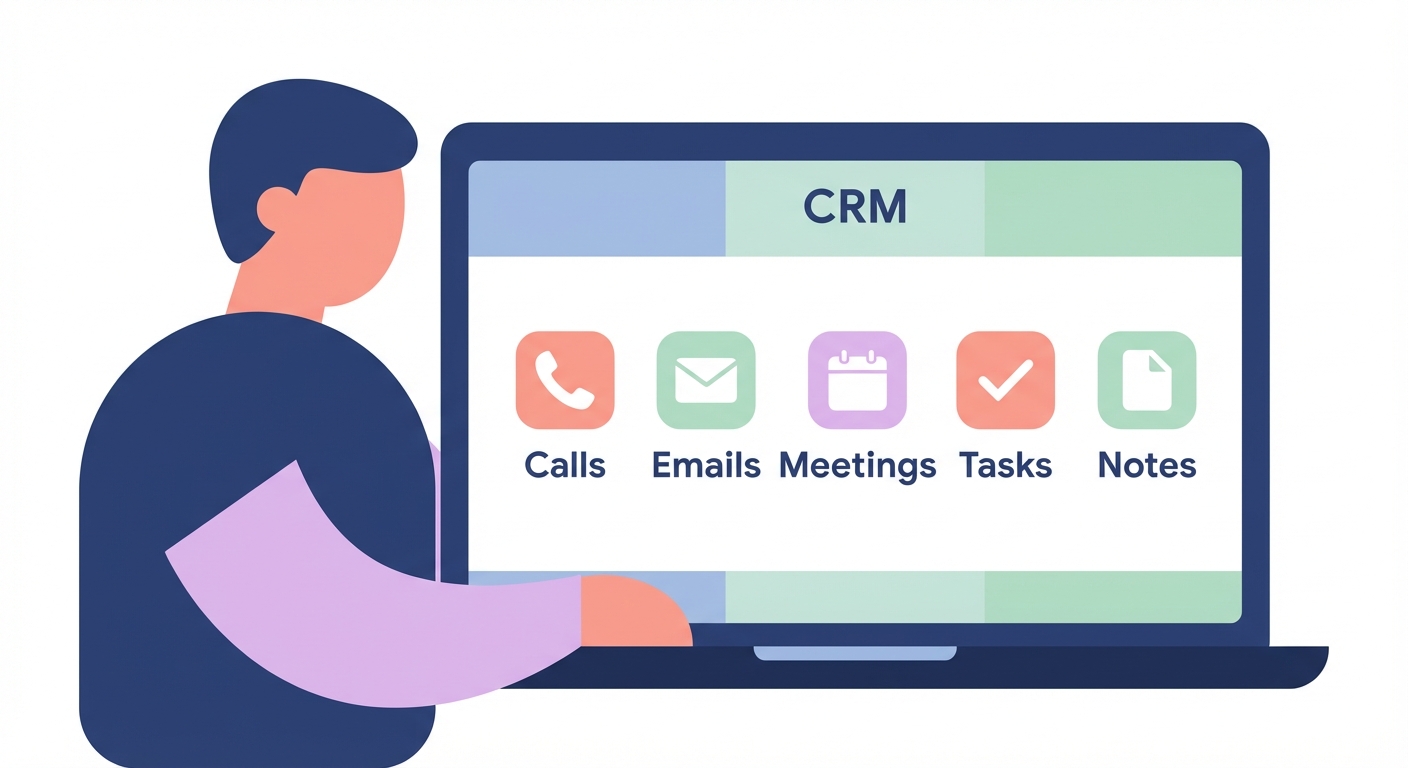
HubSpot automatically logs three core activity types: calls, emails, and meetings. Each activity type stores specific properties that answer who, what, when, and how long. The system captures activity date and timestamp, associated contact and company records, deal associations, activity outcome (connected, left voicemail, busy, no answer), duration for calls and meetings, email open and click tracking, and the activity owner – the rep who logged it.
When you send an email through HubSpot or log a call directly in a contact record, the system creates a permanent activity record. Implementing AI-powered sales workflows that integrate with HubSpot can automate much of this logging, but understanding the manual process ensures your data stays clean when automation inevitably needs human oversight.
HubSpot activity dashboards track tasks completed day-by-day, with goal indicators highlighting when teams complete 8+ tasks in a day. Sales teams monitor overdue tasks with visual alerts – red highlighting when more than 5 tasks are overdue – triggering Slack notifications that enable immediate action.
Logging sales activities manually in HubSpot
Manual logging exists for activities that happen outside HubSpot’s automated capture. A phone call from your mobile, an in-person meeting, or a conference encounter all require manual entry to maintain complete records.
To log a call, navigate to the contact or company record, click the activity icon in the timeline, select “Call” as the activity type, enter call duration and outcome, add detailed notes about what was discussed, associate the call with relevant deals, and click “Log call.” The process takes less than two minutes but creates a permanent record that feeds your reporting and pipeline analysis.
To log an email sent outside HubSpot, open the contact record, click “Log activity” then “Email,” add subject line and body text, set the sent date and time, associate with deals if relevant, and click “Log email.” This ensures activities conducted through your personal email client still appear in your CRM timeline.
To log a meeting, access the contact timeline, select “Log activity” then “Meeting,” enter meeting date and duration, note the outcome (held, rescheduled, no-show), add meeting notes including attendees and next steps, link to associated deals, and click “Log meeting.”
Your notes matter more than you think. Integrating CRM with sales tools becomes exponentially more valuable when your activity logs contain rich, searchable details. A note like “Discussed pricing concerns around bulk orders, needs approval from procurement director by month-end” tells you – and the AI analyzing your pipeline – far more than “Follow-up call scheduled.”
Sales teams using HubSpot Sales extensions for Outlook and Gmail can log activities without leaving their inbox, reducing the friction that causes missed records. The Outlook add-in automatically logs emails sent through your email client and provides one-click meeting scheduling that syncs directly to your CRM.
Creating activity reports to measure volume and performance
Raw activity logs mean nothing without analysis. HubSpot’s reporting tools transform individual activities into performance metrics that identify problems and opportunities.
To build your first activity report, navigate to Reports, click Analytics Tools, then Reports. Select “Create custom report” and choose “Custom report builder.” Pick “Activities” as your primary data source and select which activity types to include – calls, emails, meetings, or all three. Add filters for date range, team, activity outcome, or specific reps. Choose your visualization format (bar chart for comparisons, line chart for trends, table for detailed breakdowns, pie chart for distribution) and save the report to your dashboard.
Sales dashboards should include closed deals, forecasted revenue, deal stage progression, activity volume, and conversion rates, providing the comprehensive view needed for interpreting sales performance data.
Essential activity metrics to track
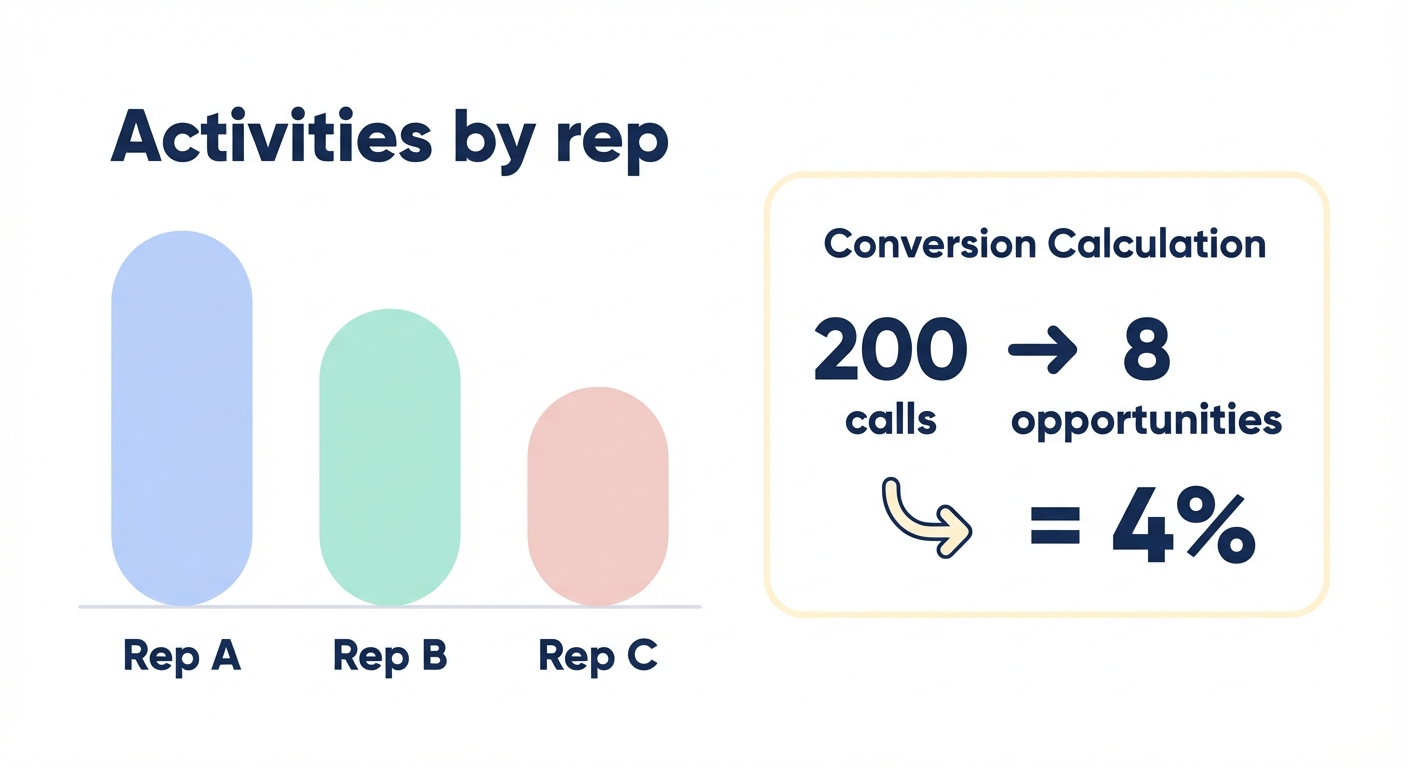
Activity volume by rep shows who’s executing your outreach strategy. Set benchmarks – 30 calls per week, 50 emails per week, 8 meetings per week – and track actual performance against targets. Consistent activity volume often predicts consistent results. Reps who make 35-40 calls weekly close more deals than those who make 15 calls one week and 60 the next.
Activity-to-opportunity conversion reveals which activities generate pipeline. If your team makes 200 calls that result in 8 opportunities, your call-to-opportunity rate is 4%. Track this weekly to identify shifts in lead quality or rep effectiveness. A dropping conversion rate signals that either your targeting has deteriorated or your reps need coaching on qualification.
Response time metrics measure how quickly your team follows up after a prospect engages. UK technology providers using HubSpot integrations saw 40% increase in qualified meetings booked and 25% higher response rates when they reduced response times through automated activity tracking. Speed matters. Leads contacted within one hour are 21 times more likely to convert than leads contacted even 24 hours later.
Meeting completion rates show how many scheduled meetings actually happen. HubSpot activity dashboards track meetings booked, meetings completed, and meeting completion rates as key performance metrics. If you’re booking 40 meetings but only completing 28, you have a 70% completion rate and a problem worth investigating. Low completion rates might signal poor qualification, unclear meeting value propositions, or simply that you’re not sending effective reminders.
Building dashboards that drive action
Reports answer questions. Dashboards guide decisions. HubSpot’s dashboard functionality brings multiple reports together into a single view that monitors pipeline health in real time.
To create a sales activity dashboard, go to Reports then Dashboards, click “Create dashboard,” name it descriptively (e.g., “Sales Activity Dashboard - Weekly”), and set sharing permissions for your team or entire portal. Add reports by clicking “Add report,” select from your saved reports or create new ones on the fly, arrange reports in a logical flow that tells a story, and set automatic refresh frequency so your team sees current data whenever they open it.
Your activity dashboard should include total activities this week compared to last week and quota, activities by rep displayed as a bar chart for easy comparison, activity trends over time as a line graph to spot patterns, overdue tasks by rep shown in a table with red highlighting for urgency, meeting booking versus completion rates to identify scheduling problems, email engagement rates showing opens and clicks, and call outcomes distribution breaking down connected calls, voicemails, and no-answers.
HubSpot Sales Hub offers customizable dashboards for tracking deal velocity, conversion rates, and pipeline movement tailored to each user’s role. Your sales director needs pipeline health and revenue forecasts. Your reps need daily activity targets and upcoming tasks. Build role-specific dashboards that show each stakeholder exactly what they need to act on.
A live feed of new leads entering the pipeline provides team visibility that helps reps prioritize outreach to the warmest prospects. When a prospect downloads your pricing guide at 2:47 PM, your dashboard should surface that activity immediately so your fastest rep can call while interest peaks. Real-time dashboards have helped UK SaaS companies reduce lead qualification time by 40% simply by eliminating the lag between interest signal and rep response.
Advanced activity tracking through automation
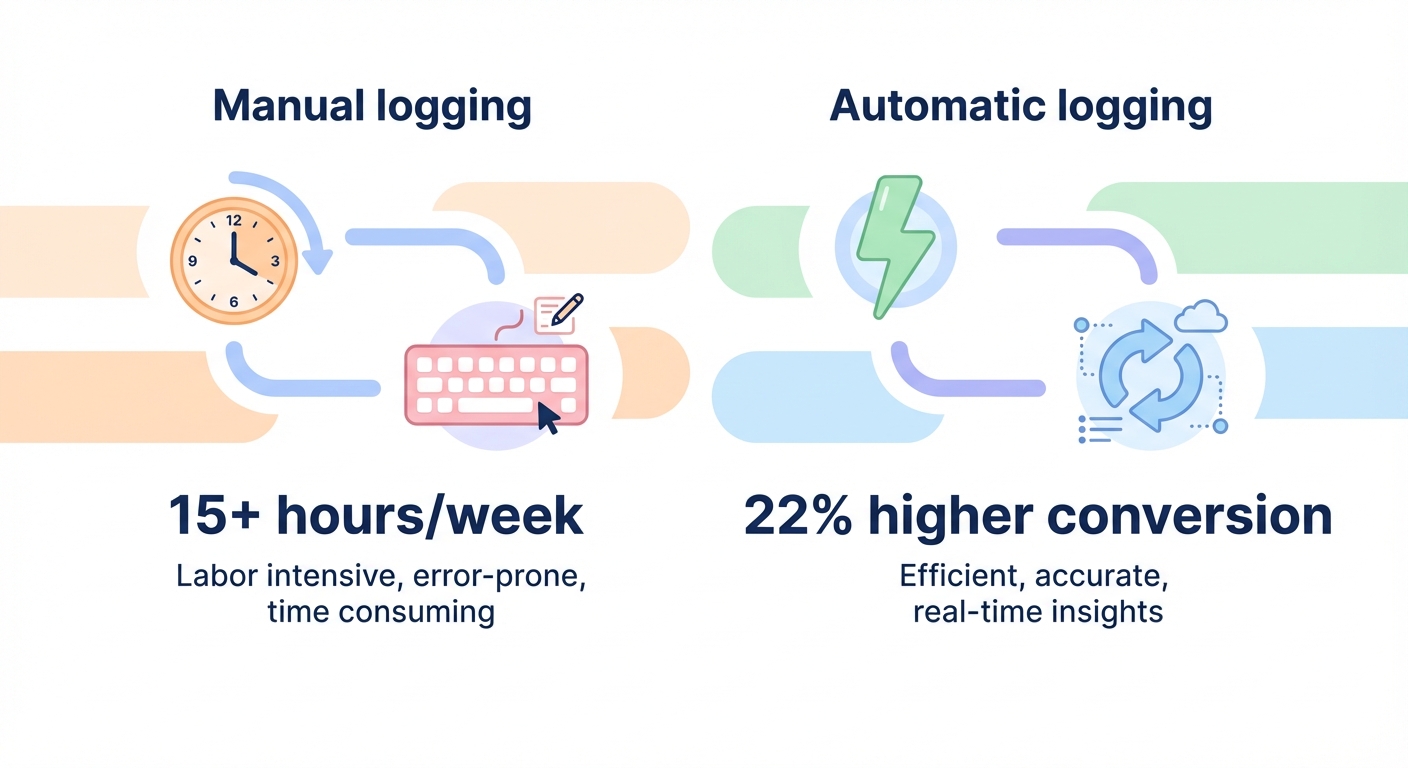
Manual logging creates gaps. Phone calls from mobile devices, meetings scheduled through third-party tools, and emails sent outside HubSpot often go untracked unless you build automated workflows.
Email integration connects Gmail or Outlook through HubSpot Sales extensions to automatically log every email sent to known contacts. This integration captures email opens, link clicks, and reply timestamps without manual entry. The system even tracks which links prospects clicked and how many times they opened your message – signals that separate mildly interested prospects from those actively evaluating your solution.
Telephony integration connects your phone system (RingCentral, Aircall, CloudTalk) to HubSpot so every call automatically logs with duration, recording, and transcription. Using AI agents to update CRM notes automatically can transcribe and summarize calls in real time, creating searchable records that surface insights months later when you’re preparing for a renewal conversation.
Meeting scheduling tools eliminate coordination friction. HubSpot Meetings allows prospects to book time directly in your calendar and automatically logs scheduled meetings. The system sends reminders to both parties, captures no-shows with a single click, and logs completed meetings without rep intervention. This closed-loop tracking ensures your meeting metrics reflect reality rather than optimistic scheduling.
Calendar sync connects Google Calendar or Outlook Calendar to HubSpot so any meeting invitation automatically creates an activity record linked to the appropriate contact and company. This works even when prospects book meetings through platforms like Calendly or when you schedule meetings directly in your email client.
Workflow automation creates tasks based on activity triggers. When a prospect opens a proposal email three times in one day, HubSpot can automatically create a high-priority task for the rep to call immediately. When a deal sits untouched for five business days, a workflow can escalate a reminder to the sales manager. These automated responses ensure hot leads don’t go cold due to manual oversight failures.
HubSpot Marketing Hub offers comprehensive workflow automation with real-time reporting capabilities for sales teams, enabling automatic task creation, email sequences, and notification triggers based on prospect behavior. The system can queue follow-up emails after specific activities, pause sequences when prospects engage, and resume outreach when interest signals appear.
Analyzing activity patterns to improve performance
Data without analysis is just digital clutter. The real value emerges when you identify patterns that predict success or failure.
Leading indicator analysis examines activity patterns that precede closed deals. Review your last 50 closed-won deals and ask: How many total activities occurred before close? What was the typical timeline from first contact to close? Which activity types correlated with faster closes? Did successful deals follow specific activity sequences – perhaps discovery call, technical demo, proposal review, then close? These patterns become your playbook.
One London software company analyzed their HubSpot activity data and discovered that 68% of stalled deals were stuck at technical validation. They hired a solutions engineer to handle technical calls, reduced their sales cycle by 18 days, and increased deal velocity by focusing activities on the proven bottleneck. The data told them exactly where to invest resources for maximum impact.
Rep performance benchmarking compares individual performance against team averages. Track each rep’s activities per day and week, response time to new leads, conversion rate by activity type (which reps convert calls into meetings most effectively?), average deal size by activity volume, and time spent in each deal stage. This granular analysis reveals who’s working smart versus who’s just working hard.
If Rep A closes 22% of opportunities with 40 activities per deal while Rep B closes 15% with 60 activities, Rep A is more efficient. Study Rep A’s activity sequence, messaging, and qualification approach, then train Rep B to replicate it. Your best practices aren’t theoretical – they’re embedded in your activity data waiting to be extracted and systematized.
Activity timing optimization reveals when prospects engage most. Run reports showing email open rates by send time, call connection rates by day of week and hour, meeting acceptance rates by proposed time slots, and response rates by follow-up interval. B2B prospects often engage with emails between 8-10 AM on Tuesday through Thursday. Calls connect best between 4-5 PM when gatekeepers leave but decision-makers stay late. Key metrics for tracking prospect engagement help you optimize outreach timing based on behavioral data rather than guesswork.
Troubleshooting common activity tracking issues
Even well-configured HubSpot instances develop data quality problems. Here’s how to spot and fix the most common issues.
Missing activities typically stem from integration problems. If activities aren’t appearing in contact records, check your email integration settings under Settings, then Integrations, then Email. Verify that activity permissions allow all users to log the relevant activity types. Review filter settings on reports – overly restrictive date ranges or activity type filters can make data appear missing when it’s simply hidden. Check association rules to ensure activities are automatically linking to the correct contact, company, and deal records.
Duplicate activities plague teams running multiple integrations. If both your Outlook add-in and email sync are active, you’ll see double entries for every email. Audit your connected apps under Settings and Integrations, identify redundant logging sources, and disable the less reliable integration. Generally, native integrations outperform third-party middleware in accuracy and reliability.
Inaccurate activity outcomes undermine the value of your data. Train your team on proper outcome selection. “Connected” should only be used when you spoke with your intended contact – not when you reached a gatekeeper who transferred you to voicemail. “Left voicemail” should be reserved for actual voicemails, not missed calls where you didn’t leave a message. Standardized definitions prevent the data drift that makes year-over-year comparisons meaningless.
Incomplete activity notes render historical records useless. Empty or vague notes like “Discussed project” provide no context six months later when the prospect re-engages. Best practices for automating sales workflows recommend setting required fields for activity notes and providing templates that prompt reps to capture key details: next steps, objections raised, budget timeline, and decision-makers involved. Structured note templates ensure consistency across your team.
Data syncing delays frustrate teams relying on real-time dashboards. If activities take hours to appear in reports, check API rate limits – third-party integrations have daily call limits that, when exceeded, queue data updates. Review sync frequency settings in connected apps; some default to hourly rather than real-time updates. Monitor HubSpot’s processing queue, visible in Operations Hub, to identify bottlenecks in your data flows.
HubSpot UK research shows that reducing churn by 15-20% is achievable via analytics-driven customer health scores – but only when activity data accurately reflects customer engagement. Clean data isn’t optional if you want reliable insights. Schedule quarterly data audits to maintain quality standards as your team and processes evolve.
Connecting activity tracking to revenue outcomes
Activity metrics alone don’t pay salaries. Connect activity data to revenue outcomes to prove (or disprove) that your sales motions generate ROI.
Activity-to-revenue attribution links specific activities to closed deals. Build reports that show average activities per deal segmented by deal size, revenue generated per activity type (how much pipeline does each call, email, or meeting create?), ROI by activity channel comparing the efficiency of calls versus emails versus meetings, and time lag between activity spikes and closed revenue to understand your natural sales cycle length.
If your team averages 12 activities per closed deal and your average deal size is £28,000, each activity generates approximately £2,333 in revenue. Track this monthly. If the average climbs to 18 activities per deal without corresponding deal size growth, your qualification process has deteriorated – you’re working harder to close the same value deals. This metric reveals efficiency changes before they crater your quarterly results.
Predictive activity scoring uses historical patterns to forecast deal outcomes. HubSpot’s predictive scoring can identify high-potential leads based on engagement patterns, company information, and previous interactions. Deals with above-average activity early in the sales cycle – particularly in the first two weeks after opportunity creation – close at significantly higher rates than deals with sparse early engagement. This insight lets you triage resources toward deals showing strong early momentum.
Activity-based forecasting improves pipeline predictions beyond traditional stage-based methods. While deal stage and rep estimates provide a baseline, adding behavioral data – consistent weekly activity, executive engagement, and multi-threaded contact relationships – significantly improves forecast accuracy. Deals meeting these activity thresholds close at predictable rates regardless of optimistic or pessimistic rep sentiment.
One Birmingham financial services firm saved 40% in admin time and increased client conversations by 60% by integrating predictive analytics with their activity tracking. Their forecasting accuracy improved from ±35% to ±12%, enabling better resource allocation and hiring decisions. They could predict next quarter’s revenue within a narrow band, allowing confident commitments to operations and finance teams.
Integrating activity data with external sales intelligence
HubSpot activity data becomes exponentially more valuable when enriched with external intelligence. Modern B2B sales requires knowing not just what your rep did, but what’s happening in your prospect’s business.
LinkedIn Sales Navigator integration automatically pulls LinkedIn profile data into HubSpot records and tracks engagement across platforms. When your prospect changes jobs, gets promoted, or posts content, those signals appear alongside your activity history. A prospect who recently posted about scaling challenges presents a very different opportunity than one who just announced layoffs. Step-by-step guide to CRM integration for sales walks through the technical implementation of these enrichment integrations.
Conversation intelligence tools like Gong or Chorus transcribe calls, identify keywords, and score conversations based on proven success patterns. These integrations surface insights that manual call notes rarely capture: competitor mentions (who are you really competing against?), pricing objections (are prospects pushing back on your headline price or specific line items?), and decision-maker involvement (did the economic buyer actually speak on the call or just listen?). This structured conversation data becomes searchable and analyzable at scale.
Marketing automation sync connects HubSpot Sales Hub with Marketing Hub to show how prospects engage before sales outreach begins. A prospect who downloaded three whitepapers and attended a webinar requires different outreach than one who only filled out a contact form. Activity context matters. Understanding the full buyer journey – from anonymous website visitor through marketing nurture into sales engagement – prevents reps from re-explaining information prospects already consumed.
AI-powered enrichment platforms analyze firmographic data, technographic signals, and intent indicators to prioritize which accounts deserve immediate outreach. While your team focuses on high-value conversations, AI handles the research and data enrichment that used to consume hours of rep time. These systems identify companies actively searching for solutions like yours, track hiring patterns that signal growth, and flag technology stack changes that create buying windows.
Sera’s AI-driven global sales automation automatically generates qualified leads, confirms decision-makers, creates personalized multilingual outreach sequences, and syncs all activity data back to your HubSpot CRM. The integration ensures every AI-generated activity – from list building through meeting scheduling – appears in your HubSpot reports alongside manually logged activities. This unified view shows exactly which prospecting motions drive pipeline regardless of whether humans or AI agents execute the outreach.
Transform sales activity tracking into competitive advantage
HubSpot tracks, logs, and reports sales activities with depth that overwhelms most teams. The platform captures more data than you’ll initially know how to use. Start simple: log activities consistently, build a basic dashboard tracking volume and conversion metrics, and gradually add sophistication as patterns emerge.
Your competitive advantage doesn’t come from having activity data – every CRM captures that. It comes from analyzing patterns faster, adjusting processes decisively, and executing with precision while competitors still run on intuition and spreadsheets. The manufacturing firm that discovers their best deals close after technical validation calls can shift resources to accelerate that stage. The SaaS company that learns Tuesday emails convert 40% better than Friday emails can restructure cadences. The services business that realizes their top rep sends half as many emails but asks better qualifying questions can train the team on quality over volume.
Activity tracking transforms sales from art to science. But only if you actually use the data. Build dashboards your team checks daily. Set activity benchmarks tied to quota attainment. Review conversion metrics weekly and adjust tactics monthly. The fastest path to better results runs through your existing activity data – you just need to look at it systematically.
Ready to fill your pipeline with qualified prospects while maintaining complete activity visibility in your CRM? Discover how Sera’s AI agents automatically generate leads, personalize outreach across 100+ languages, and sync every interaction directly to HubSpot – so you spend less time logging activities and more time closing deals.