


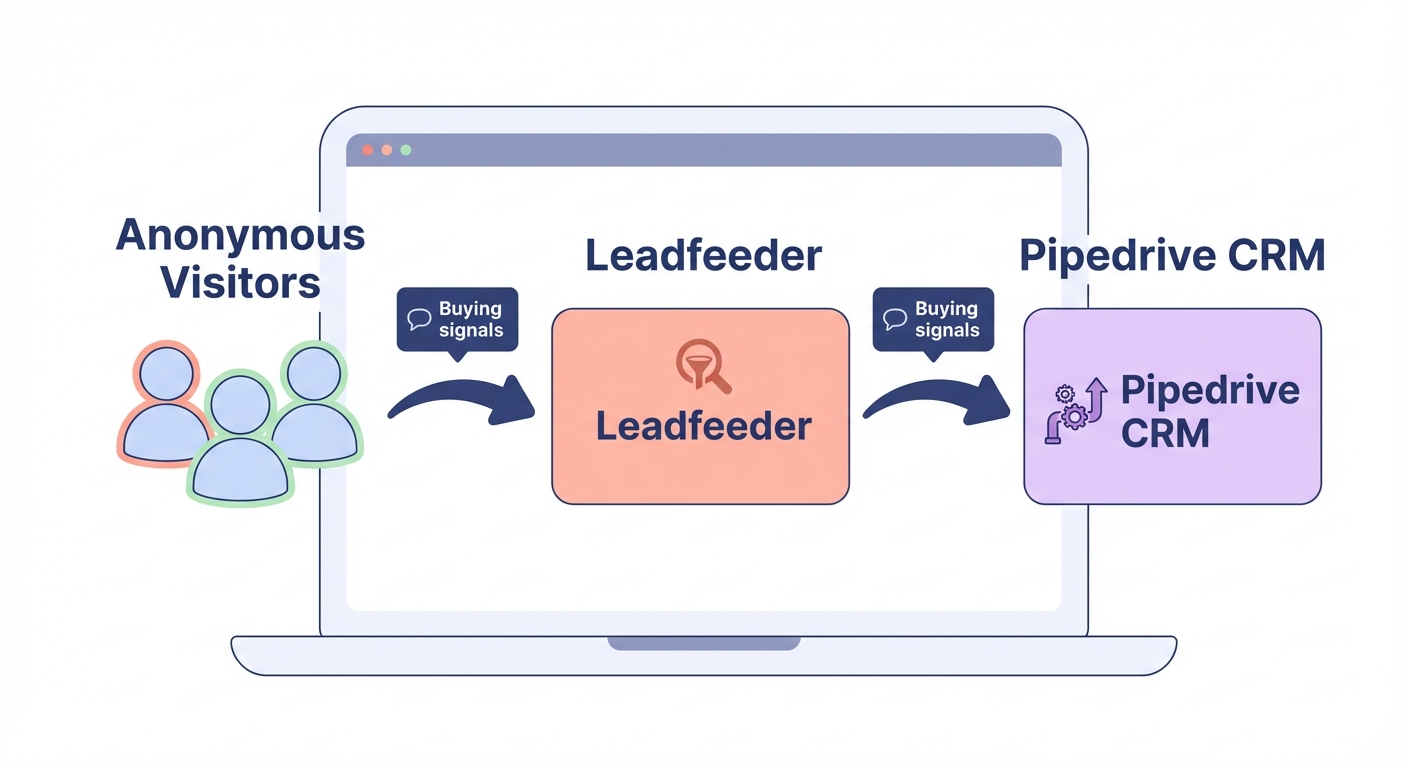
Do you know which companies are browsing your website right now but leaving without filling out a form? Integrating Leadfeeder with Pipedrive identifies these anonymous visitors and pushes their buying signals directly into your sales pipeline.
How the Leadfeeder and Pipedrive integration works
Leadfeeder acts as a digital caller ID for your website, using reverse IP lookup to identify the companies behind the traffic. It goes beyond simple identification by tracking specific behaviors, such as which pages they view, how often they return, and how much time they spend on high-value content like pricing pages or technical spec sheets.
When you connect this data to Pipedrive, the information flows automatically into your CRM. You can establish specific rules to create new organizations, leads, or deals the moment a target company hits your site. By integrating CRM with automated lead generation systems, you can eliminate over 60% of manual data entry, allowing your sales team to focus on building relationships instead of manually typing company names and visit histories.
Key data synced between your sales tools
The native integration ensures that your Pipedrive records are enriched with real-time intent data, providing a digital paper trail of a prospect’s interests. This data mapping process functions like an automated filing system where website interactions are sorted into specific fields. The data synced typically includes the exact pages viewed to show what products were researched, the visit frequency to indicate the level of interest, and the last visit date to help your team prioritize the most recent prospects.
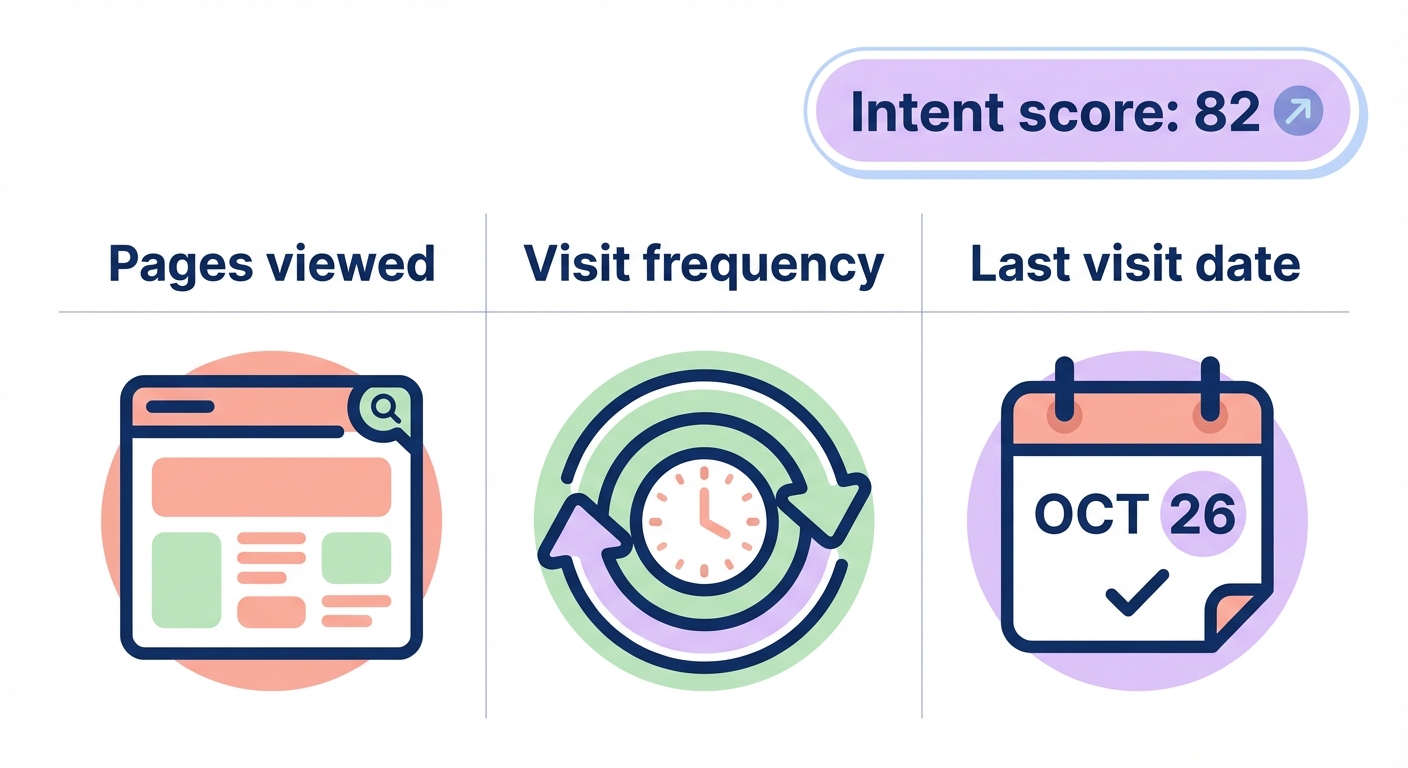
Additionally, Leadfeeder assigns a lead source intent score, which is a numerical value based on the visitor’s behavior. For manufacturers, capturing this level of detail is essential for CRM field mapping for manufacturers, as it ensures that technical inquiries or specific interest in industrial equipment are routed to the correct product specialist with the right background.
Setting up the integration in under 30 minutes
Connecting these two platforms is a straightforward process that usually requires less than 30 minutes of configuration. Before starting, ensure you have a Pipedrive Professional plan or higher with admin privileges, and verify that the Leadfeeder tracking script is installed across all pages of your website. Most teams prefer integrating CRM with sales tools through native connections because they offer the most stable data exchange with minimal maintenance.
To begin, navigate to your Pipedrive settings and locate the “Apps and integrations” section in the Marketplace. Search for Leadfeeder and follow the prompts to install the application, which will redirect you to authorize the connection through your Dealfront or Leadfeeder account. Once authorized, you can configure your sync rules to determine exactly how visitors are handled. For example, if a company is already in your CRM, Leadfeeder can append new visit data as a note to the existing organization or deal rather than creating a duplicate record.
Optimizing workflows for manufacturers and SaaS teams
This integration does more than just identify new leads; it significantly improves how you manage your existing sales pipeline and prioritize your daily outreach.
Reactivating lost deals
One of the most effective Pipedrive workflow automation examples is the automated reactivation of lost deals. When a company associated with a deal you previously marked as “lost” returns to your website, Leadfeeder can trigger an instant notification to the original account owner. This intent signal suggests that the prospect may be reconsidering their options or that their project timing has changed. Sales teams using this behavioral trigger have reported a 25% increase in conversion rates for previously stalled or lost opportunities.
Smarter lead qualification and routing
Rather than chasing every anonymous visitor, you can use automated lead qualification to separate the researchers from the buyers. For instance, if a visitor spends five minutes on a technical documentation page, they are likely a higher priority than a casual blog reader. You can implement automated lead routing in sales workflows to ensure these high-intent prospects are assigned to your most experienced representatives the moment they show interest, cutting down response times and increasing the likelihood of a successful meeting.
Scaling your results with Sera’s AI Autopilot
While Leadfeeder tells you which company is visiting your site, identifying the specific decision-maker and initiating outreach still presents a manual hurdle. This is where Sera’s AI Autopilot transforms your workflow. Sera uses six specialized AI agents to handle the research and outreach that typically bogs down sales teams, allowing you to move from an identified company to a booked meeting without the manual grind.
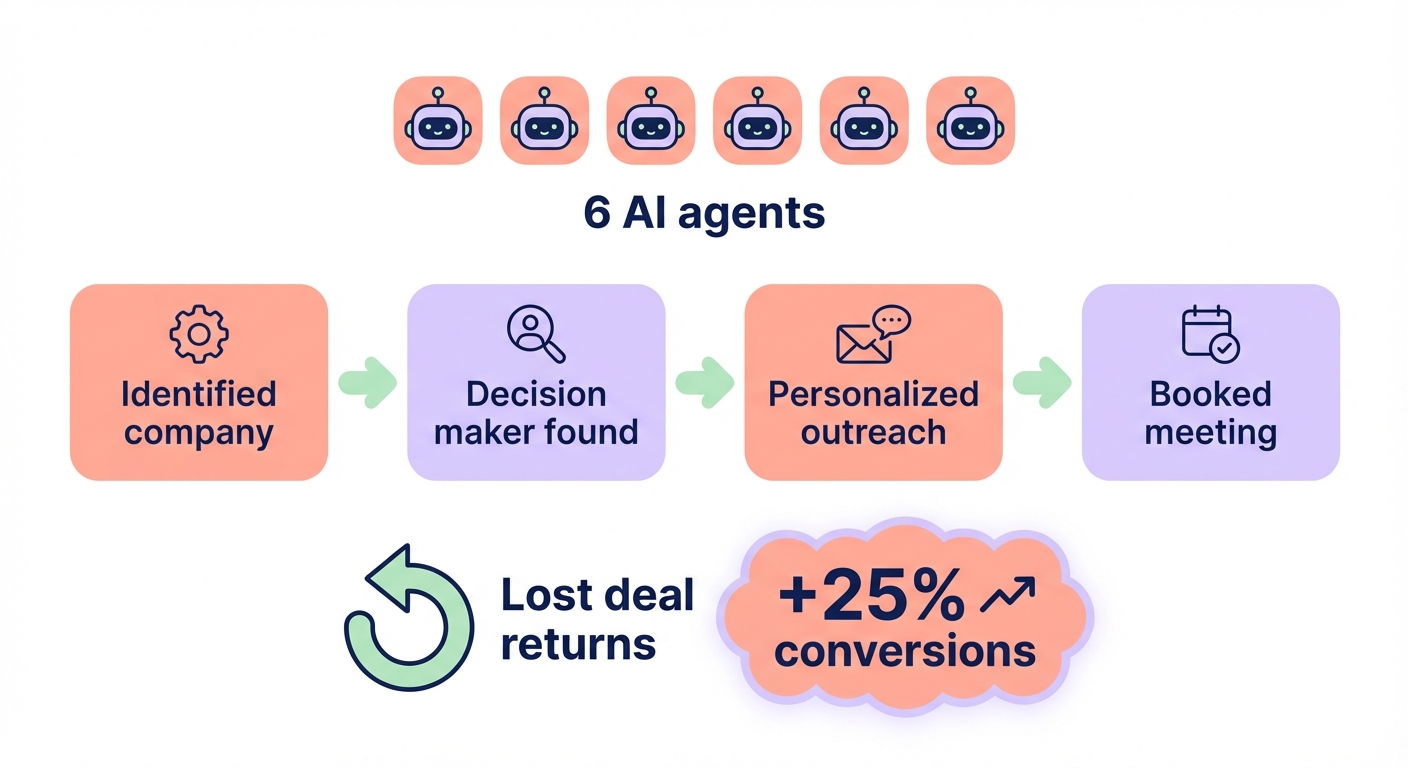
While Leadfeeder identifies the business entity, Sera’s Decision Maker Identifier confirms the exact person who can say “yes” to your proposal. Simultaneously, the Outreach Writer crafts personalized, human-sounding messages in over 100 languages based on the specific intent data gathered during the website visit. This research-driven approach ensures your outreach feels relevant and timely rather than like automated spam. By combining high-intent website tracking with ultra-targeted follow-ups, you create a scalable system that fills your calendar with qualified leads.
Integrating Pipedrive with Leadfeeder provides the visibility you need to understand your website traffic, and Sera provides the engine to act on that visibility at scale. To see how AI agents can automate your prospecting and turn website visitors into revenue, visit Sera to book a demo.