


Did you know your sales engineers spend only 28% of their week actually selling? The rest of their time gets swallowed by manual data entry and admin tasks. Streamlining your pipeline with targeted CRM automation can give them back 15 hours every week.
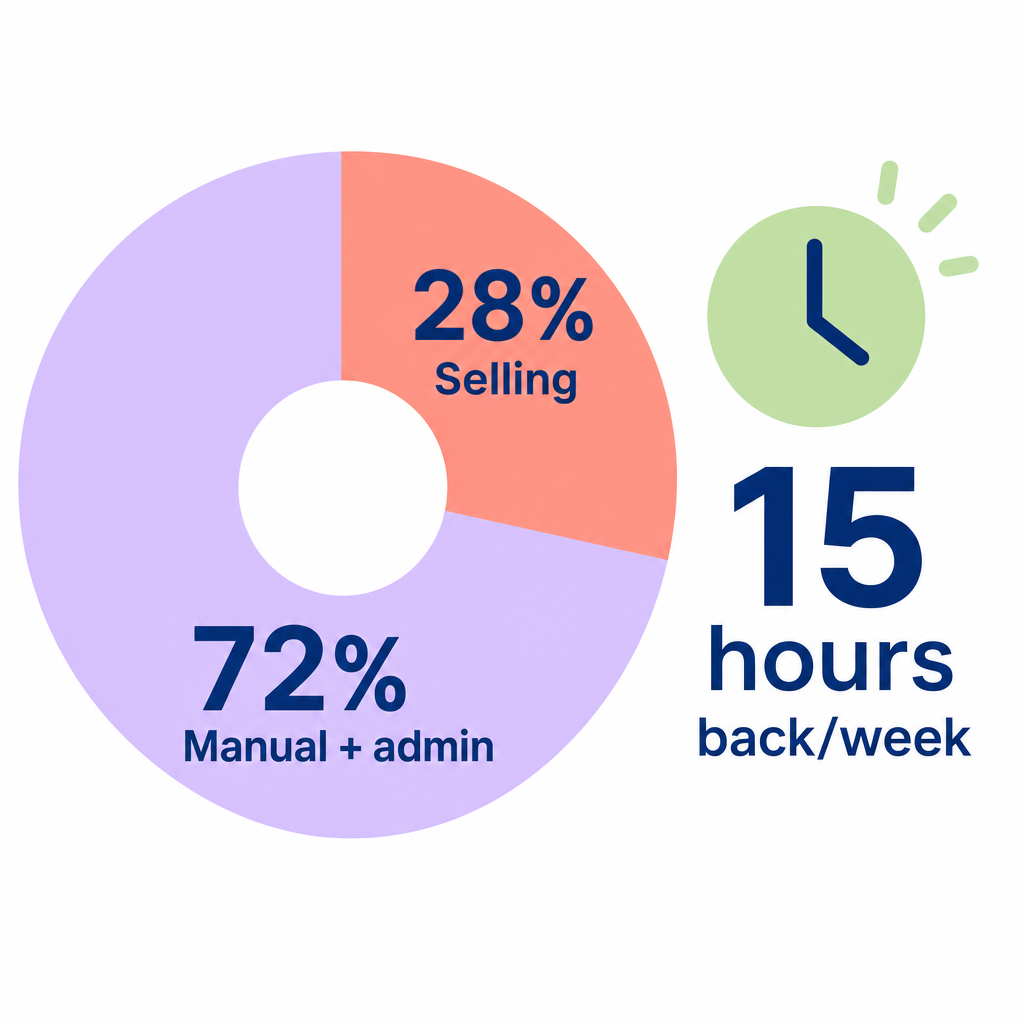
When your technical sales teams and account managers get bogged down in administrative paperwork, your pipeline stalls. According to a study by HubSpot, 32% of sales reps spend an hour or more every single day manually entering data into their sales tools. In the complex world of industrial manufacturing, this administrative drag often leads to slow response times, missed follow-up tasks, and inaccurate pipeline reports.
Implementing smart CRM workflow automation is the most direct way to solve this. Businesses reviewing real-world examples of sales workflow integration see a 20-25% increase in workforce productivity, according to research by McKinsey & Company. Furthermore, standard automation reduces overall sales admin time by 14%, which triggers up to a 34% boost in customer conversions.
By setting up clean, automated data flows, you can eliminate up to 60% of manual data entry for your sales team.
Best practices for manufacturing CRM workflow automation
To build a reliable sales automation system that runs smoothly without creating messy, corrupted database records, you should follow these core industrial practices.
Audit and clean your data first
Before connecting any new automation tools, clean your existing records. Enforce strict standards during your initial audit to prevent a cycle of “garbage in, garbage out” from corrupting your forecasting. Implementing automation on top of a messy database only accelerates your problems. You can read our detailed guide on CRM field mapping for manufacturers to learn how to structure complex industrial variables.
Define clear sync rules
When syncing your CRM with external lead generation systems, you must establish a primary source of truth. Always set sync rules so that your CRM overrides external tools if a data conflict occurs. This ensures your internal team’s updates remain the definitive, trusted record.
Automate lead routing
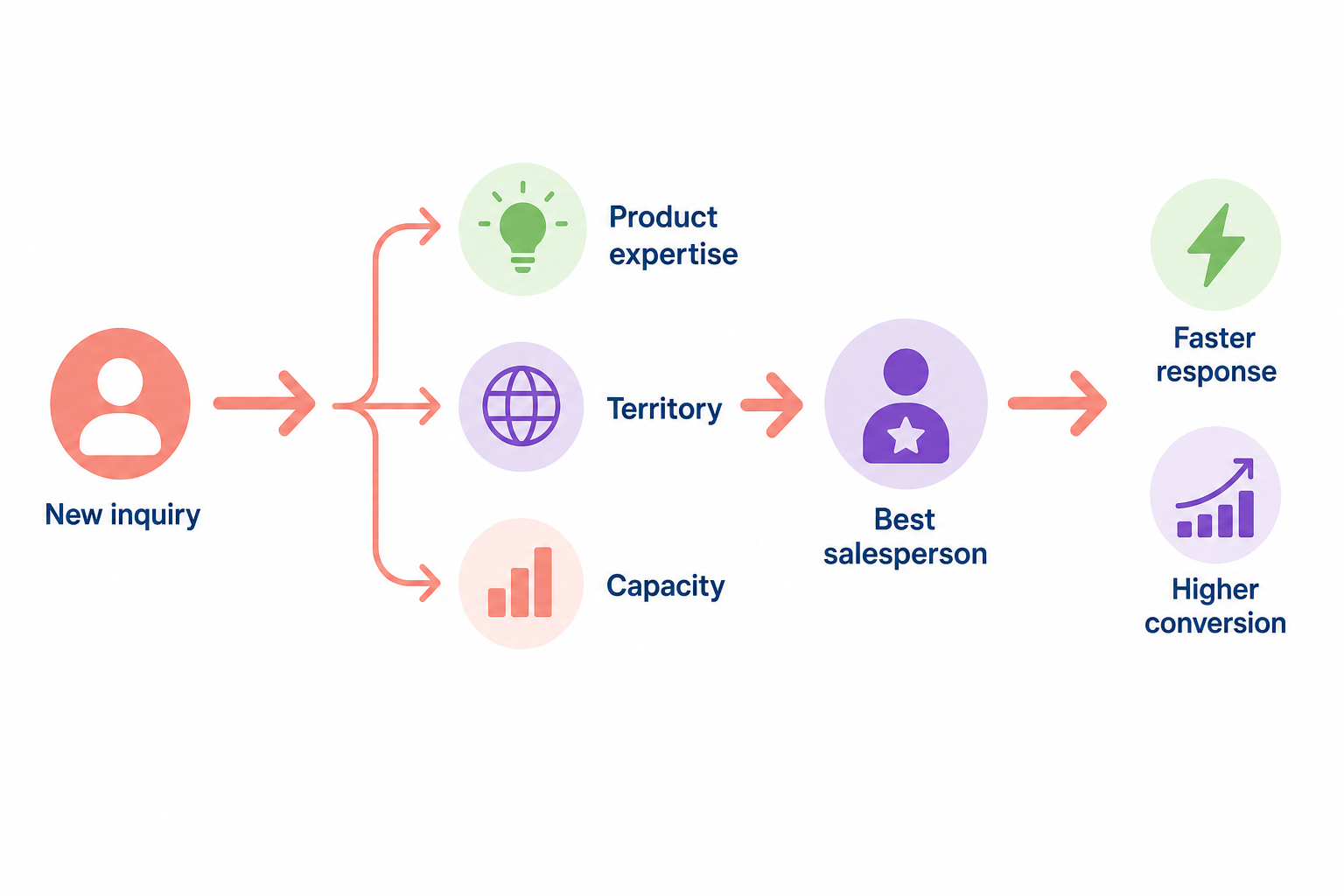
Do not let fresh inquiries sit in a general inbox. Set up automated rules to instantly route incoming leads to the most qualified salesperson based on product expertise, territory, or capacity. Utilizing automated lead routing in sales workflows ensures that highly qualified buyers receive immediate responses, which keeps leads from getting lost in transition and dramatically boosts your conversion rates.
Use APIs and webhooks for custom requirements
Manufacturing pipelines require operational flexibility. Standard integrations might not capture unique data points, such as specific SKU inquiries, minimum order quantities (MOQ), or custom production lead times. Utilizing APIs and webhooks offers the most flexibility for manufacturers with custom requirements, allowing you to trigger a lead alert to an account manager based on a specific SKU inquiry.
Map automation to your sales stages
Align your automated triggers with the actual steps your buyers take. From the initial inquiry to the final production quote, each stage requires different touchpoints. By configuring sales automation for different sales stages, your CRM can automatically send follow-up emails, schedule tasks, or flag stalled opportunities without your reps lifting a finger.
Overcoming team resistance to CRM automation
The biggest bottleneck to CRM success is not the software. It is your team’s adoption. Traditional manufacturing sales teams are often hesitant to adopt new software.
To eliminate cultural resistance, show your team the direct benefit to their day-to-day lives. When sales reps see that automated processes save them up to 15 hours a week, resistance tends to disappear. Focus on automating the tasks they hate most:
- Activity Logging: Sync communication channels automatically. Tools that offer LinkedIn CRM sync make it easy to log prospect interactions directly.
- Outreach Follow-ups: By integrating email outreach automation with CRM workflows, you can design automated nurturing sequences that keep prospects warm without manual effort.
- Real-World Setups: If you use popular CRM platforms, implementing practical Pipedrive workflow automation examples can give your team a clear blueprint for getting started.
Scaling outreach with AI-powered sales workflows
Once your CRM foundation is in place, you can supercharge your pipeline by integrating CRM data with AI prospect insights. Instead of forcing your sales reps to spend hours manually sourcing and qualifying prospects, you can put your entire outbound process on autopilot.
This is where Sera’s AI-driven outreach autopilot transforms your operations. Powered by six specialized AI agents working in harmony, Sera handles up to 93% of the outbound groundwork under human supervision. The system uses a List Building Agent, an Enrichment Engine, a Research Analyst, and a Decision Maker Identifier to build highly targeted, research-driven lists of industrial buyers.
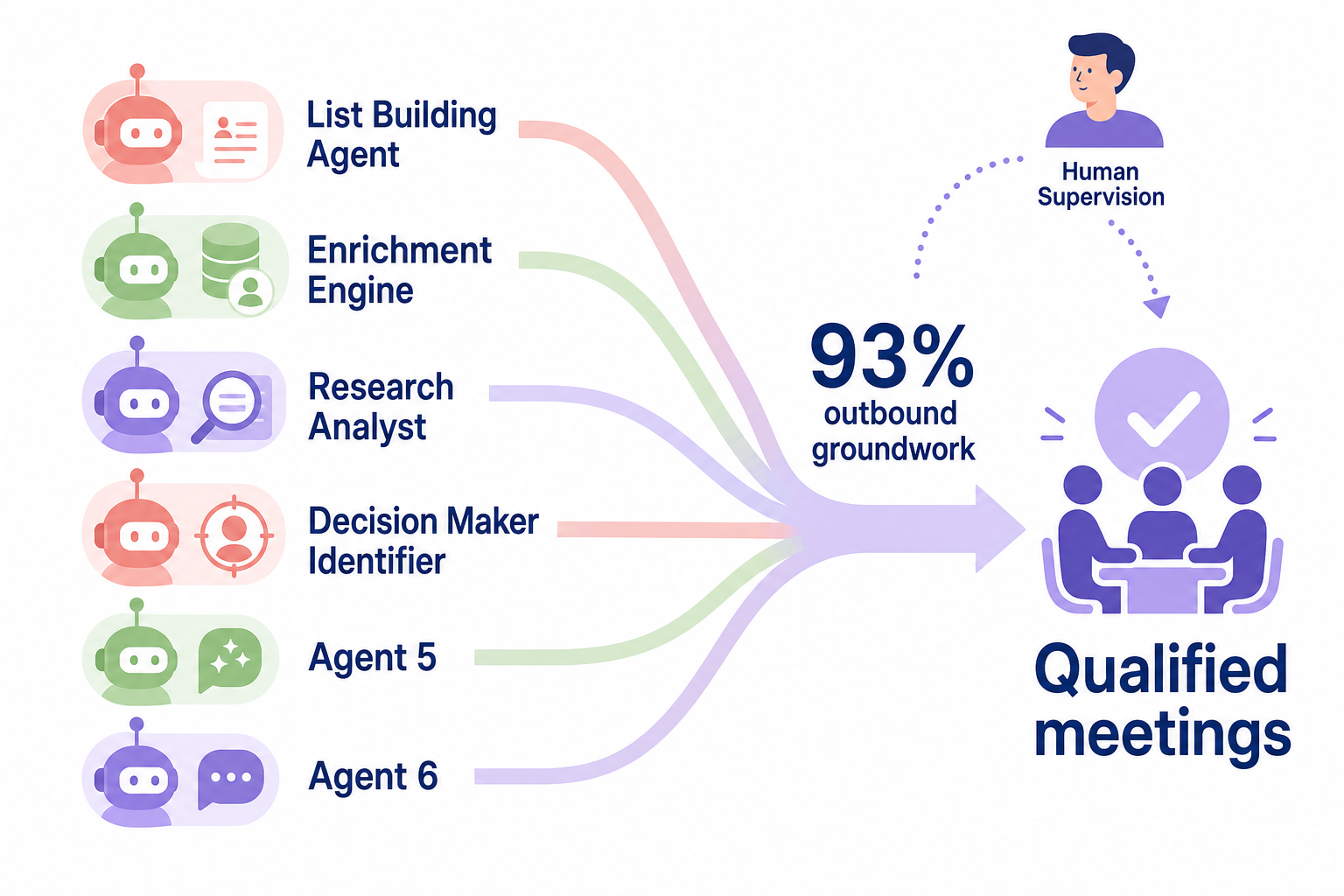
Rather than sending generic spam, Sera crafts hyper-personalized, multilingual outreach in over 100 languages. Your team only steps in when a warm prospect is ready to meet, booking qualified sales meetings directly on your calendar.
Streamlining your CRM workflows is not just about keeping your database organized. It is about freeing your sales team from administrative weight so they can focus on what they do best: building real relationships and closing complex manufacturing deals.
If you are ready to eliminate manual data entry and fill your sales pipeline with verified leads on autopilot, explore how Sera can scale your B2B outreach today. Check out our manufacturing use cases or get started immediately by claiming your first 5 verified leads.