


Are your sales and marketing teams operating from separate playbooks? For manufacturers, a data gap between HubSpot and Salesforce often results in missed quotes and delayed orders. Linking these platforms creates a single source of truth from the first lead interaction to the final contract signature.
Why this integration matters for your shop floor
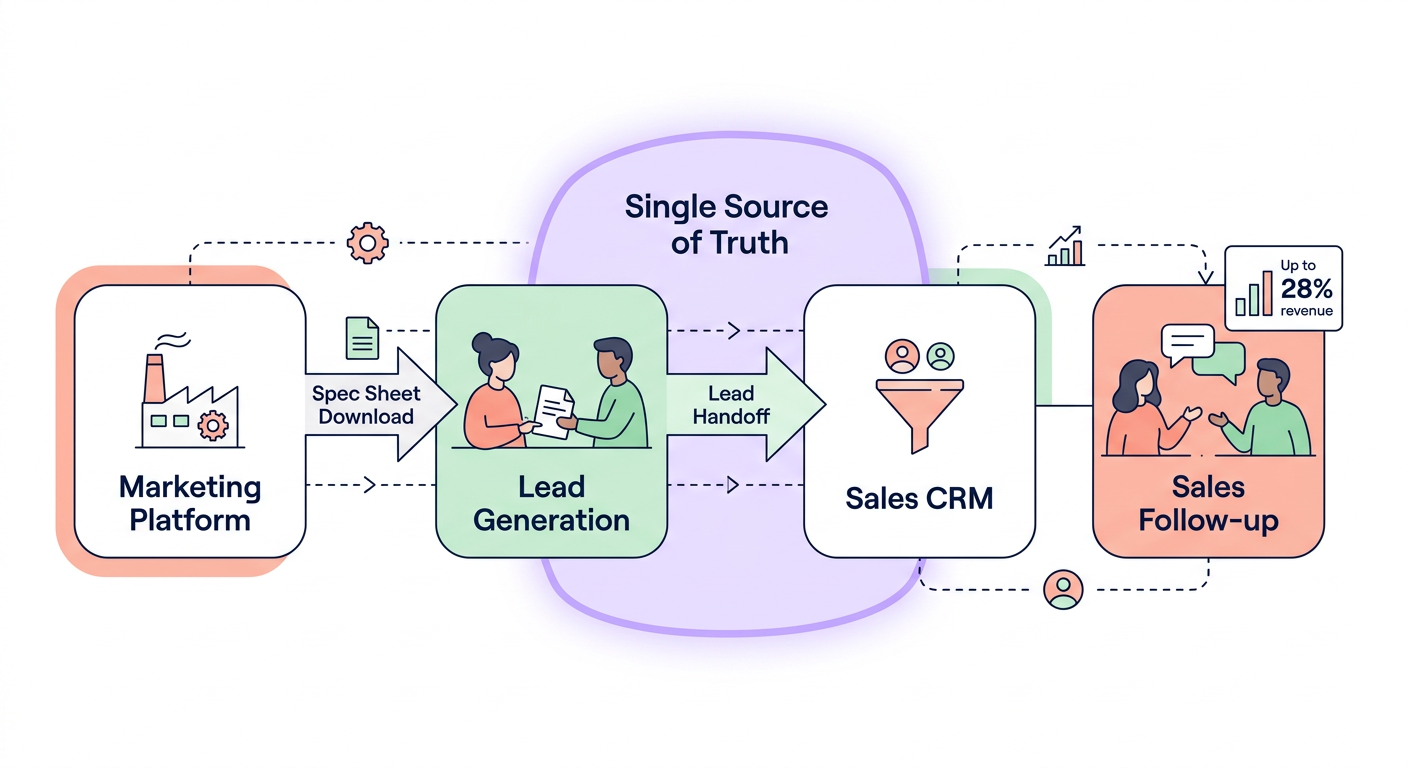
In the manufacturing sector, sales cycles are typically long and involve multiple decision-makers. When your marketing data and customer records remain in silos, your team loses the visibility required to close complex deals. Industry research suggests that integrating CRM with automated lead generation systems can boost revenue by up to 28% by aligning teams and eliminating manual data entry errors.
By linking these systems, you ensure that when a prospect downloads a technical spec sheet in HubSpot, your sales representative sees that activity immediately in Salesforce. This real-time visibility eliminates the “black hole” where leads often disappear during the handoff from marketing to sales.
Essential prerequisites for a smooth connection
Before starting the installation, you must confirm that your software versions and user permissions meet the necessary requirements. Taking the time to verify these details prevents technical roadblocks during the authentication process.
- HubSpot subscription at the Professional or Enterprise tier.
- Salesforce Enterprise or Unlimited editions, which are recommended to ensure full API access.
- System Administrator privileges in Salesforce and “Connected Apps” access within HubSpot.
- Active API connections in both platforms to facilitate the data exchange.
Establishing the connection between platforms
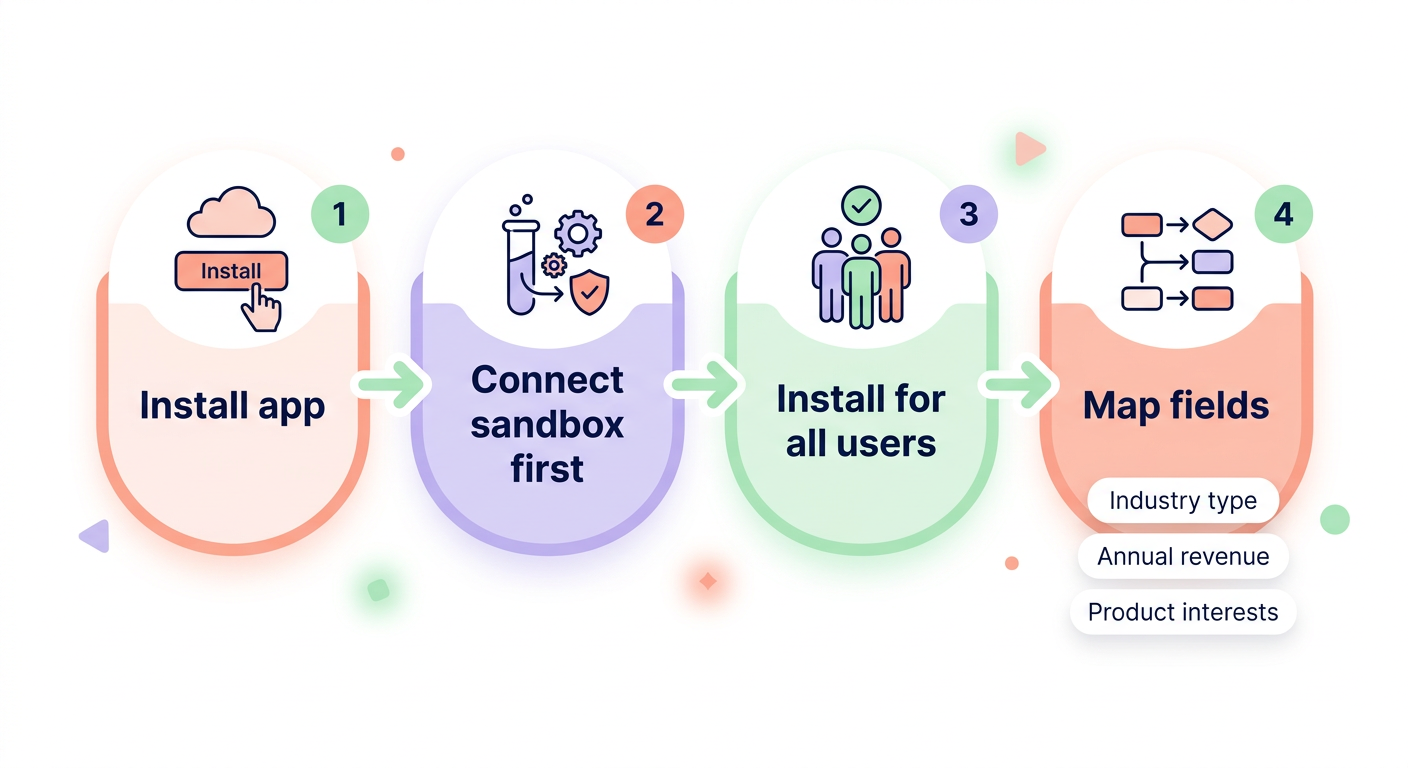
To begin the process, navigate to the App Marketplace within your HubSpot account and locate the Salesforce app. After clicking “Install app,” you will be prompted to log into your Salesforce account. It is highly recommended to connect to a Salesforce Sandbox environment first. This allows you to test the data flow and mapping in a safe space before applying the changes to your live production environment.
Once authenticated, you will need to install the HubSpot package within Salesforce. Choosing the “Install for All Users” option is the best practice for manufacturing firms, as it ensures your entire sales team can view the HubSpot intelligence window directly on their lead and contact records. The final step involves configuring your data protocols. You must decide which specific data points, such as industry type, annual revenue, or product interests, should move between the two systems. For a detailed technical breakdown of this stage, you can review our practical guide to CRM field mapping for manufacturers.
Understanding sync behavior and mechanics
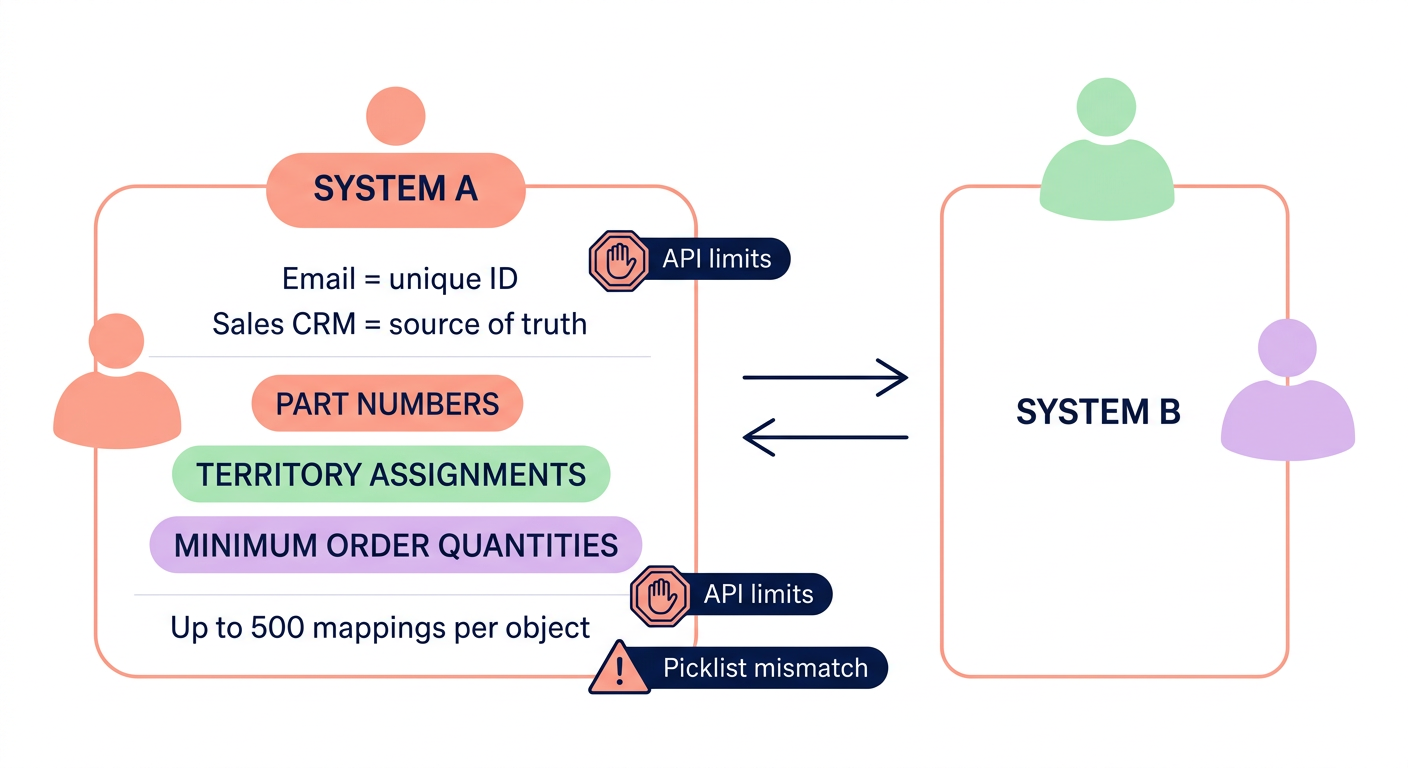
The integration operates through a bidirectional sync, meaning updates made in HubSpot can automatically reflect in Salesforce and vice versa. The system relies heavily on email addresses as the primary unique identifier to match records. This logic prevents the creation of duplicate files and ensures that how HubSpot tracks sales activities, such as email opens or document downloads, is accurately recorded against the correct contact.
While data flows both ways, most manufacturing organizations designate Salesforce as the “source of truth.” This means if a conflict arises – such as a phone number being updated differently in both platforms – the Salesforce data will typically override the HubSpot entry. Furthermore, HubSpot supports up to 500 mappings per object, which provides ample room to track specialized manufacturing data like part numbers, territory assignments, or minimum order quantities.
Solving common integration hurdles
Even with careful planning, technical snags can occur during a high-volume rollout. Sync delays are a frequent concern, often caused by reaching Salesforce API call limits. If data stops moving, your first step should be to verify your API consumption and ensure your authentication tokens are still active.
Another common hurdle involves picklist mismatches. If the “Lead Status” options in HubSpot do not exactly match the dropdown values in Salesforce, the sync for those specific records will fail. You must ensure that all categorical fields are identical across both platforms to maintain data integrity. If a representative cannot see HubSpot intelligence data in their CRM view, verify that they have been assigned the “HubSpot Integration Permission Set” within Salesforce. For broader troubleshooting strategies, consult our guide to CRM integration for sales.
Scaling your pipeline with AI
Once your HubSpot and Salesforce systems are communicating effectively, your focus should shift to populating them with high-quality, targeted leads. While the integration manages the data flow, manufacturing executives still face the challenge of consistently reaching the right decision-makers at target firms.
Sera’s AI-driven Autopilot acts as a force multiplier for your integrated CRM. The system utilizes six specialized AI agents – including dedicated List Building, Enrichment, and Research agents – to identify buyers and execute personalized, human-sounding outreach. This ensures your newly synchronized CRM is constantly fed with warm opportunities, while human supervisors maintain the quality control your brand demands. By combining a unified data stack with automated outreach, you allow your sales team to spend less time managing software and more time securing new contracts.